We ecommend signing on/signing in with a personal or business Google account for a seamless experience across our sites →
![[Staging] The Spiritual Agency](https://staging.spiritual.agency/wp-content/uploads/2026/04/The-Spiritual-Agency-New-Logo-Dark-Background.png)


There is a particular kind of frustration familiar to anyone who has tried to use a modern AI assistant to manage a real WordPress site, not a clean install with a default theme, but a site that has accumulated a personality.
A few years of plugins. A page builder with opinions of its own. A caching layer that is convinced it knows better. Custom fields layered on through an ACF migration to ACPT. SEO meta written by hand and now living in three different plugins because nobody got around to consolidating it. A LiteSpeed Cache plugin with thirty-seven settings, half of which interact in non-obvious ways.
These are the WordPress sites that exist in the wild. And, until very recently, they were the sites that AI assistants could not really help with. Not because the assistants lacked capability, but because the bridge between assistant and site was not honest. It would tell the assistant, in effect: yes, you can write to this meta field. The assistant would obediently write. The page builder would silently overwrite the change on the next render. The cache would hold the old value for another twelve hours. And the agency, which had asked for a small adjustment for a client over morning coffee, would conclude (reasonably enough) that the AI did not work.
This piece is about why we, as a small agency, came to write our own Model Context Protocol server for WordPress, paired with a companion plugin built concurrently and on purpose. It is intended for WordPress developers, agency engineers, and server administrators who recognise the problem above, and who may be wondering, as we were six months ago, whether the existing landscape of WordPress and server MCPs really meets the needs of production sites with accumulated complexity. The short answer, in our experience, is that it does not. The longer answer is what follows.

The shape of the problem
Before describing what we built, I want to set out, with as much precision as I can manage, the actual failure modes that prompted the work. Whilst the existing WordPress and server MCPs in the open ecosystem are genuinely impressive in places (and the developers behind them deserve real credit for the effort) there are recurring patterns that surface the moment you try to use them on a site with any production complexity.
1. Builder-blindness. Most WordPress MCPs treat the platform as if it were the WordPress of 2014, with posts and pages, content, meta, and a featured image. They expose /wp/v2/posts endpoints and similar primitives. This is technically correct and operationally useless. A site running GreenShift, Bricks, Divi, or even classic Gutenberg with custom block patterns does not store its content the way /wp/v2/posts assumes. The actual content lives inside post_content as block markup, or inside post_meta as builder-specific JSON, or, in some particularly determined cases, in a third location managed entirely by the builder’s own settings table. An MCP that does not know this will edit the wrong field, produce no visible change on the front-end, and conclude that the operation succeeded.
2. Cache-blindness. Closely related. An MCP edits a meta field. The edit succeeds at the database level. The site is fronted by LiteSpeed Cache, with Critical CSS that survives a Purge All. The change does not appear. The MCP has no model of the cache layer, so it has no way to know this. It reports success. The site owner sees no change. The trust deficit deepens.
3. Special-character mangling. A brand colour is #FF0060. The MCP writes the value through a CLI bridge that, deep inside its shell wrapper, treats # as a comment marker. The actual value stored is FF0060. The CSS templating system prepends # on output, so the colour appears correct, until someone writes a custom shortcode that does not prepend, at which point rendering breaks in production. This is not a theoretical case. We encountered it twice in two weeks.
4. Multi-line value loss. Plugin lists, feature highlights, structured copy. Anything with embedded newlines, gets silently flattened to a single line by the same shell layer. Sometimes the failure is visible. More often, it manifests as quietly malformed content that nobody notices for a fortnight.
5. The serialisation problem. WordPress stores many of its most important options in PHP-serialised form. gspb_global_settings from GreenShift. The Customizer’s theme_mods. Half the menu items. Naive JSON read-write tooling treats these as opaque strings, returns them to the caller as escaped gibberish, and silently corrupts them on write.
6. Authorship-blindness. When the MCP runs an operation, it runs as some user, usually an administrator. There is no audit trail. If something goes wrong overnight, there is no way to reconstruct what was attempted, what succeeded, and what failed. For a single-site hobbyist, this is annoying. For an agency managing dozens of client sites, it is professionally untenable.
7. The single-site assumption. Most existing WordPress MCPs are designed to be installed on a single site, configured with a single Application Password, pointed at a single host. The model breaks the moment you have a fleet. Fifteen sites on three different VPSs, each with its own domain and its own pluginset, all needing to be reachable through a single AI client connection without manual reconfiguration each time.
None of these problems is unfixable. None, on its own, is even particularly difficult. But cumulatively they meant the existing MCPs were unsuitable for the kind of work an agency does, day-to-day. Whilst it would have been faster to extend an existing solution, the divergences from what we needed were structural rather than cosmetic. A clean start became the more honest path.
Why a single piece of software could not solve it
Once we sat down to think about what a complete solution looked like, the second realisation arrived quickly: this was not a job for one piece of software. The problems above split cleanly into two families, and they belong on opposite sides of the network boundary.
Outside WordPress: VPS management, SSH-driven file operations, screenshot generation for visual verification, server-level cache control, log inspection, Docker orchestration where applicable, these are server-administration tasks. They want a server-side MCP, written in something appropriate to the role (we chose Node.js with Fastify and the official MCP SDK), running on its own infrastructure, addressable from any AI client that supports the MCP transport.
Inside WordPress: content, meta, options, builder-specific block manipulation, cache-aware writes, SEO adapters that auto-detect SEOPress or Yoast or Rank Math, audit logging at the application level. these are application-internal tasks. They want a WordPress plugin, written in PHP, running inside the site’s own context, with full access to WordPress’s internals and its hooks.
What you really want, and what nobody had quite built, is a pair: a server that orchestrates the outside, and a plugin that handles the inside, with a clean, well-defined bridge between them so that a single AI conversation can do work on either side without the user having to think about which is which.
The bridge
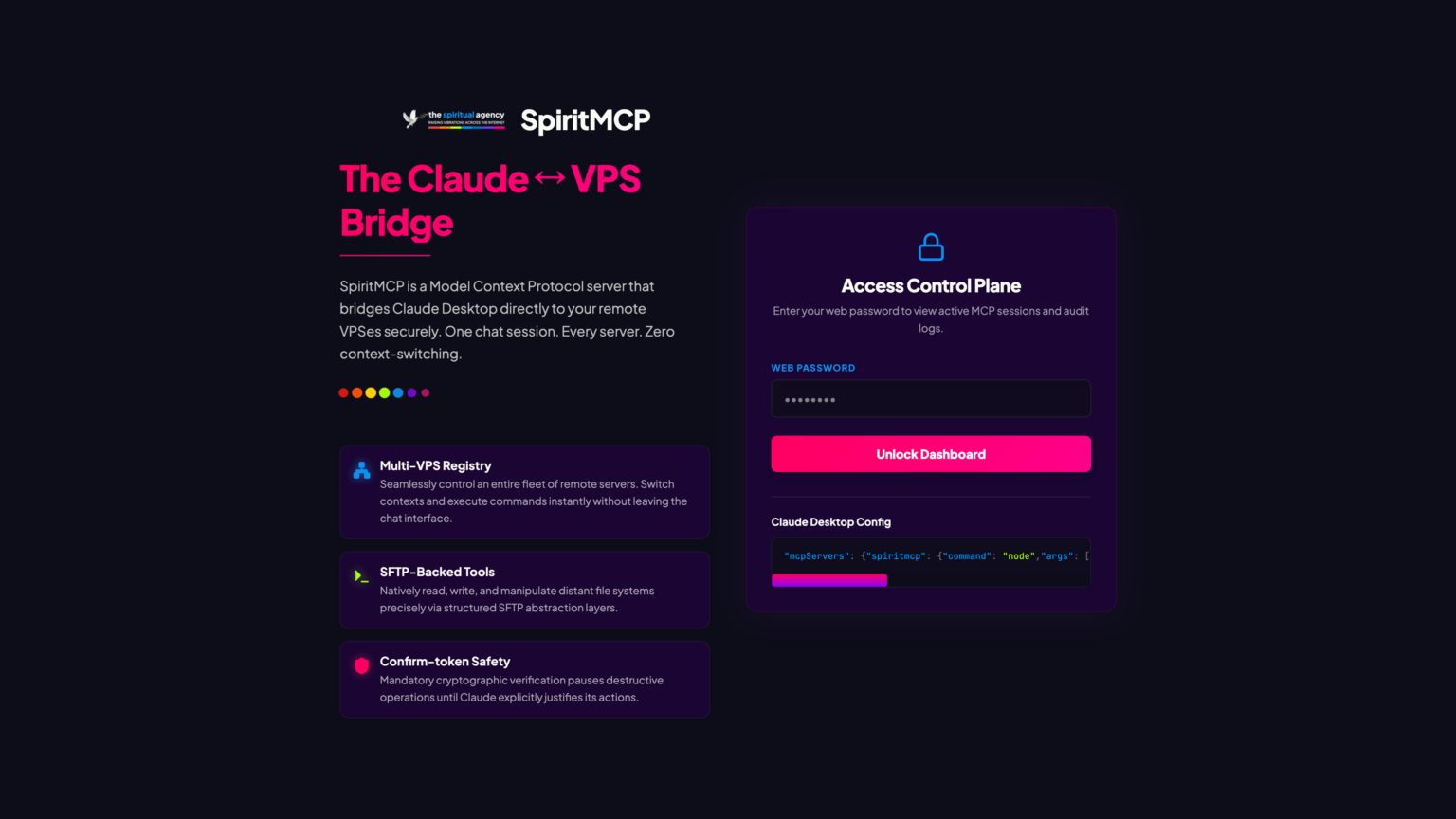
The bridge is the interesting part. The naive design is for the server to make HTTPS calls to the plugin’s REST endpoints, with some shared secret in the header. This works, but it has a curious side-effect on a multi-site VPS: the server’s call hits nginx, which has no idea which of the fifteen WordPress sites on that machine to route the request to. The plugin on the wrong site (or no site at all) handles it.
The fix turns out to be straightforward but instructive. The server first runs wp option get home over SSH against the specific site path, retrieves the canonical domain, and injects it as an explicit Host: header on a localhost curl call. Nginx then routes correctly. The plugin receives the request as if it had come from the real domain. And because the call is on the loopback interface, there is no TLS overhead, no firewall traversal, and no public exposure of the plugin endpoints, they stay strictly behind the server’s authentication boundary.
This is the kind of detail you can only really get right if you have a clear picture of both ends of the system at the same time.
# Look up the canonical home URL for the target site over SSH,
# extract the domain, then hit nginx on loopback with an explicit Host
# header. nginx routes to the right vhost; nothing leaves the box.
HOME_URL=$(ssh user@server "wp option get home --path=/var/www/example.com")
DOMAIN=$(echo "$HOME_URL" | sed -E 's,^https?://([^/]+).*,\1,')

ssh user@server "curl -sS \
  -H 'Host: $DOMAIN' \
  -H 'X-SpiritMCP-Bridge-Key: \$BRIDGE_KEY' \
  -H 'Content-Type: application/json' \
  -X POST 'http://127.0.0.1/wp-json/spiritwp-mcp/v1/post/3177' \
  --data '{\"meta\":{\"_brand_colour\":\"#FF0060\"}}'"

# Two consequences fall out for free:
#  1. No public TLS handshake, no firewall traversal.
#  2. Plugin endpoints stay strictly behind the bridge auth boundary.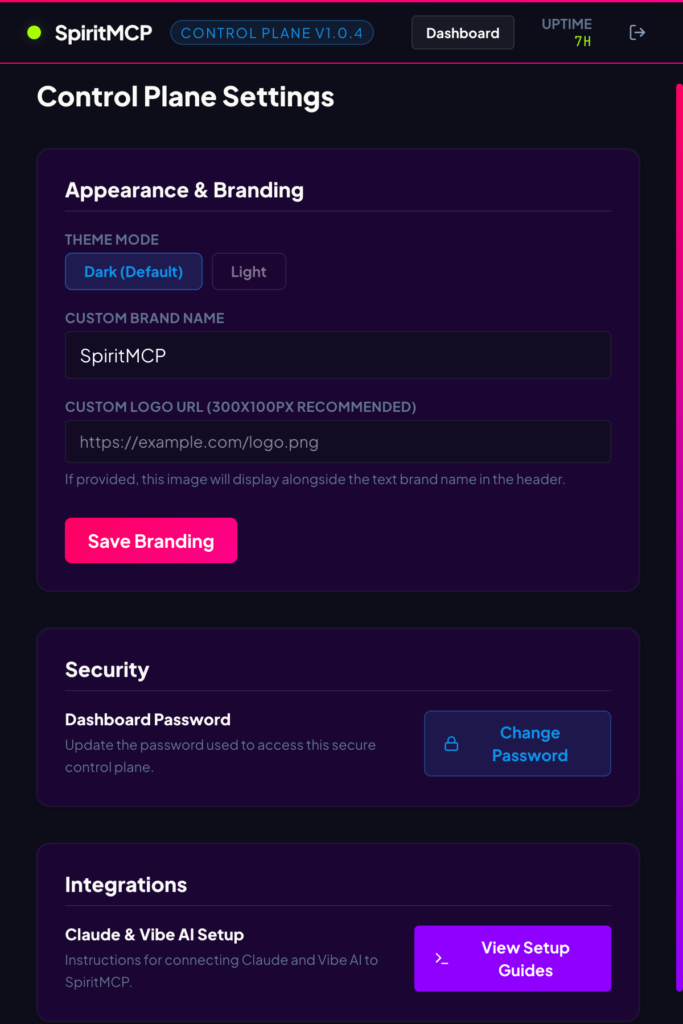
Building both halves at once
The conventional wisdom for a project like this would be to build the plugin first against an arbitrary client, then build the server later to talk to it. Or the opposite, build the server first, exposing whatever endpoints feel natural at the server level, then write the plugin against the resulting interface. Either way, the two halves get built sequentially, and the second inherits whatever choices the first made, regardless of whether those choices turn out to be sensible in hindsight.
We chose to build them concurrently, by the same hands, with full knowledge of both. This was not a productivity decision. If anything, it took longer than the sequential approach would have done. There were moments when a design choice on the server side required revisiting a design choice on the plugin side, and vice versa. But what it bought us, that the sequential approach could not have bought, was a particular kind of honesty.
The honesty is this: every endpoint on the plugin exists because the server actually needed it. Every parameter on the server’s tool registry exists because the plugin could actually deliver it. There are no leftover endpoints that nobody calls. There are no server tools the plugin cannot satisfy. The two halves were carved against each other, in real time, and the seams that resulted are the seams the work itself demanded, not the seams one side imposed on the other for legacy reasons.
There was, however, a moment of discipline early on that feels worth recording. A partial plugin scaffold existed from a previous build session, the kind of thing that survives between iterations of any long-running project. The instinct on restarting was to extend it. The more useful instinct was to audit it first. The review surfaced seven points of structural divergence from what we actually needed: the scaffold conflated server and client responsibilities, embedded assumptions about authentication that would not hold in a public-facing context, and offered no mechanism for capability gating, no audit trail, and no separation between local-bridge and remote invocations. The unsentimental decision was to set it aside and rebuild on a cleaner two-part architecture. Whilst that cost an additional half-day at the time, the saving in downstream rework over the following weeks was, by any reasonable estimate, several days of avoided pain.
The seams that result from building both halves concurrently are the seams the work itself demanded, not the seams one side imposed on the other for legacy reasons.
, design note · April 2026
The feedback loop
Once both halves were in early working order, something quite useful began to happen. The plugin became a quality-control instrument for the server.
This is worth dwelling on, because it is the part of the methodology I would commend to anyone building an MCP integration of any kind. Most MCP development happens in a vacuum, you write the server, you point a single AI client at it, and you test the tools by asking the AI to use them. This works, but it is a thin form of testing. The AI is a co-operative tester. It will, in many cases, paper over the server’s failures by adapting its own behaviour around them. A sluggish endpoint gets called less often. A poorly documented parameter gets guessed at. A silent failure gets retried under a slightly different formulation. The server, in this kind of testing, can appear to work even when it is structurally broken in ways that will surface the moment it meets a less co-operative tester or a more demanding workload.
The plugin, when it is genuinely independent of the server’s design, papers over nothing. It calls the server’s endpoints with exactly the parameters the documentation specifies. It records exactly what came back. When something is wrong, when an endpoint returns the wrong shape, when a parameter is documented but not actually accepted, when a confirm-token flow does not behave as the spec implies, the plugin notices, and it notices in a way that is reproducible and reportable.
Over the course of the build, the plugin’s testing of the server surfaced a small number of genuine defects in the server itself. Defects that the developers could fix quickly, once they were named precisely. The pattern looked schematically like this:
- Plugin built against server’s published interface.
- Plugin tests server end-to-end on representative WordPress sites.
- Plugin surfaces a divergence, wrong response shape, silently ignored parameter, undocumented confirm-token behaviour.
- Divergence reported with precise reproduction.
- Server patched, new behaviour published.
- Plugin’s tests re-run; either the divergence is gone (most cases) or the plugin needs a corresponding adjustment (a few cases).
- Plugin and server converge for that capability into a state where neither has anything to say about the other.
- Move to the next capability.
By the time the work was done, every endpoint of the plugin and every tool of the server had passed through this loop at least once. The more complex ones, the bridge endpoints, the cache-aware writes, the builder-specific block operations, had passed through it three or four times. The result is not a server-and-plugin pair that works in the usual sense of a software project shipping. It is a server-and-plugin pair where neither half has anything to say about the other. They are, to use a slightly unfashionable word, in harmony.

What this means in practice
For a WordPress developer or server administrator looking at this from outside, the practical implications are these.
You can ask an AI assistant to do real WordPress work, on real sites, and have it actually land. A field update that includes a hash character will arrive with the hash intact. A meta value with embedded newlines will round-trip without flattening. A change to a GreenShift global setting will be written through the proper update path, with the cache invalidation that the change requires, rather than a naive option_update that the builder will silently override on the next page load. An SEO meta description update will go to the SEO plugin you actually use, identified automatically, rather than a guess.
Confirm-token gating is real and enforced. The dangerous endpoints, hard delete, raw SQL writes, filesystem writes, exec-PHP, search-and-replace operations, require the AI client to first request a token, receive it, then use it on the actual operation. The plugin will refuse the operation if the token is missing or expired. This is not a polite suggestion in the documentation. It is enforced at the controller level, on every call.
# Step 1, request a confirm token for a destructive operation.
POST /wp-json/spiritwp-mcp/v1/admin/confirm
Authorization: Bearer <bridge-jwt>
Content-Type: application/json

{
  "operation": "post.delete",
  "target":    "post:3177",
  "ttl_seconds": 60
}

→ 200 OK
{ "token": "ct_8a4f2b9c1e...", "expires_at": "2026-04-29T18:42:00Z" }


# Step 2, present the token on the destructive call within TTL.
DELETE /wp-json/spiritwp-mcp/v1/post/3177
Authorization: Bearer <bridge-jwt>
X-SpiritMCP-Confirm-Token: ct_8a4f2b9c1e...

→ 200 OK
{ "ok": true, "deleted": true, "audit_id": "a1b2c3..." }


# Without the token, the controller refuses before any work happens:
→ 412 Precondition Failed
{ "code": "spiritmcp_confirm_token_required",
  "message": "Destructive operations require a valid confirm token." }
Feature flags are an outer gate, not a polite request. The most dangerous capabilities, exec-PHP, raw SQL writes, filesystem writes, arbitrary CLI execution, sit behind opt-in boolean flags stored in WordPress options. The flag controls whether the capability exists at all. It is off by default and stays off unless someone with administrator access to the site explicitly turns it on, in the WordPress admin, with full knowledge of what they are doing. Confirm tokens operate inside an enabled capability. They do not substitute for the flag.
// Every dangerous capability checks its outer flag before doing any work.
// Flags live in wp_options, edited only through the admin UI by a real human.
// Confirm tokens operate inside an enabled capability. They never substitute
// for the flag.

function handle_exec_php( \WP_REST_Request $req ) {
    if ( ! \SpiritWP\MCP\Flags::is_enabled( 'allow_exec_php' ) ) {
        return new \WP_Error(
            'spiritmcp_capability_disabled',
            __( 'Capability allow_exec_php is not enabled in this installation.', 'spiritwp-mcp' ),
            [ 'status' => 403 ]
        );
    }

    // Then check the confirm token (separate concern).
    if ( ! \SpiritWP\MCP\ConfirmTokens::verify( $req ) ) {
        return new \WP_Error(
            'spiritmcp_confirm_token_required',
            __( 'Destructive operations require a valid confirm token.', 'spiritwp-mcp' ),
            [ 'status' => 412 ]
        );
    }

    // Only now does anything happen, and even this is logged on entry/exit.
    \SpiritWP\MCP\Audit::log( 'exec_php.start', [ 'request' => $req ] );
    // ... bounded execution with a timeout ...
}
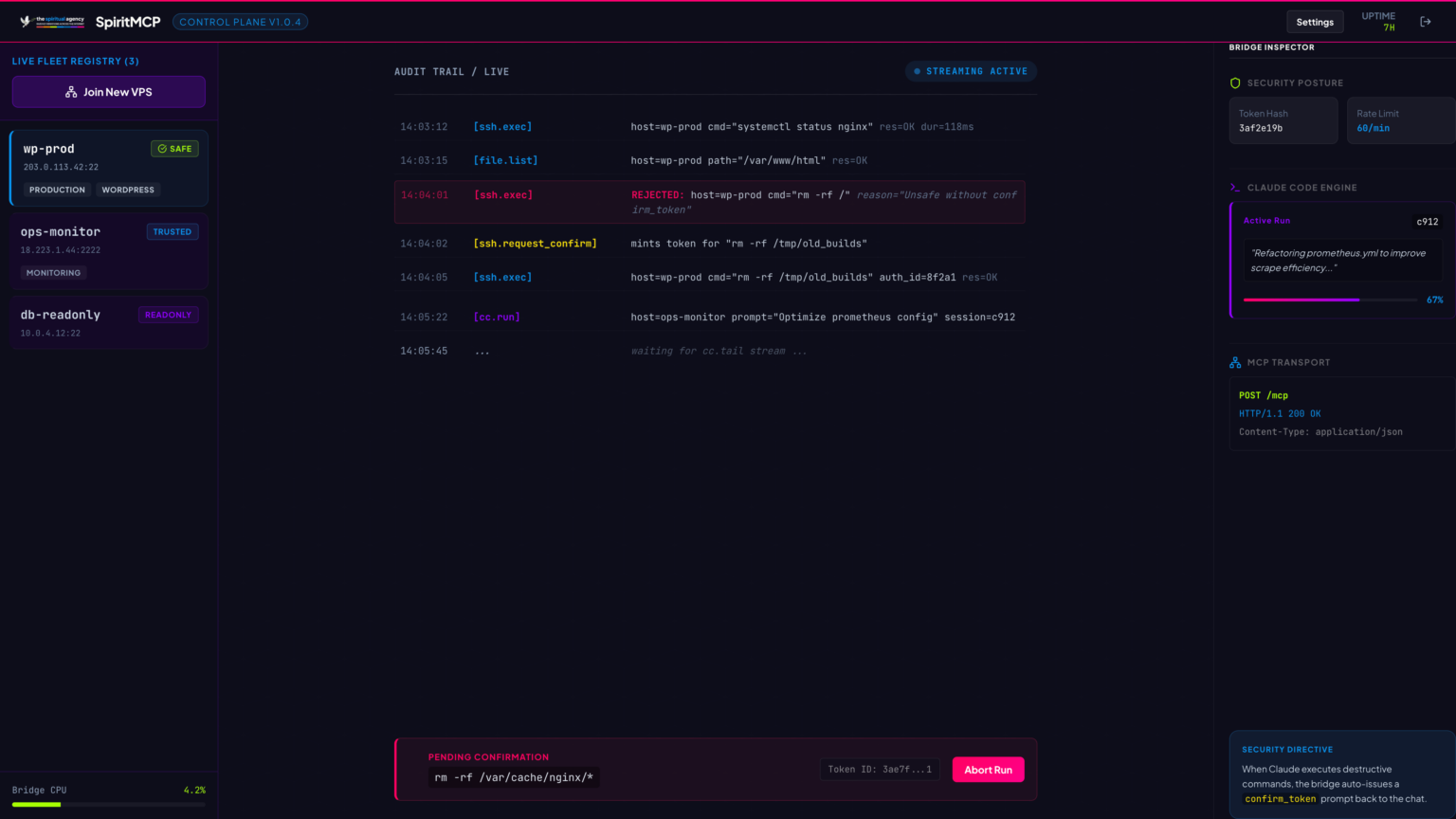
There is an audit trail. Every operation that mutates the site is logged in JSONL, with the request shape, the operation performed, and the outcome, with sensitive values hashed before being written, so the log is useful for forensic reconstruction without itself becoming a leak. The log rotates automatically. It is readable through a dedicated endpoint, gated by the same authentication as the rest of the surface.
// One line per operation. Hashes redact bulky/sensitive payloads
// while still letting forensics confirm what shape went where.
{"ts":"2026-04-29T17:42:01.337Z","actor":"mcp:bridge","op":"post.update","target":"post:3177","ok":true,"hash":{"in":"sha256:a3f...","out":"sha256:c01..."},"ms":42}
{"ts":"2026-04-29T17:42:02.108Z","actor":"mcp:bridge","op":"option.set","target":"option:gspb_global_settings","ok":true,"size_bytes":172458,"ms":18}
{"ts":"2026-04-29T17:42:03.541Z","actor":"mcp:bridge","op":"cache.flush","target":"all","ok":true,"ms":127}
{"ts":"2026-04-29T17:42:09.872Z","actor":"mcp:bridge","op":"post.delete","target":"post:9001","ok":false,"err":"spiritmcp_confirm_token_required","ms":3}
The plugin and server are independently usable. The plugin is, on its own, an MCP-compliant endpoint that any MCP-aware AI client can talk to directly, in local-bridge mode. The server is its own MCP-compliant endpoint, talking to the plugin over the bridge for WordPress-specific operations and handling everything else (VPS, SSH, file operations, screenshots) directly. A user can connect to either. The serious users connect to the server, because the server gives them the full picture across an entire fleet of sites in a single conversation.
A few specific gotchas
For developers who may be considering building something similar, or extending what we have built, a small set of details that may be worth flagging.
The localhost-curl-with-Host-header trick described earlier is essential on any multi-site VPS. Without it, you will spend an afternoon wondering why the bridge calls the wrong site. With it, you stop thinking about the problem entirely.
LiteSpeed’s Critical CSS does not get cleared by Purge All. It must be cleared separately, via the Toolbox menu, or the changes that depend on the new CCSS will appear to fail. Whilst this is widely documented for human administrators, it is the sort of thing that gets missed in the haste of building automation. The plugin handles this; if you are building your own, do not assume Purge All is a complete cache invalidation.
Some WordPress meta is silently dropped by the REST API. Blocksy theme’s _blocksy_page_meta is the example we hit. The REST API accepts the write, returns success, and persists nothing. The fix is to write through update_post_meta() from a plugin context, not through the REST primitives. Anything you cannot persist through REST should be exposed through your plugin’s own custom endpoint, which goes through the WordPress object cache properly.
// /wp/v2/posts will silently drop _blocksy_page_meta and friends.
// We expose meta writes through a plugin endpoint that goes via
// update_post_meta(), which respects the hooks REST does not.

register_rest_route( 'spiritwp-mcp/v1', '/post/(?P<id>\d+)/meta', [
    'methods'             => 'POST',
    'callback'            => __NAMESPACE__ . '\\set_post_meta_safe',
    'permission_callback' => __NAMESPACE__ . '\\require_bridge_auth',
    'args'               => [
        'id'   => [ 'sanitize_callback' => 'absint', 'required' => true ],
        'meta' => [ 'required' => true ],
    ],
] );

function set_post_meta_safe( \WP_REST_Request $req ) {
    $post_id = absint( $req['id'] );
    $meta    = $req->get_json_params()['meta'] ?? [];

    foreach ( $meta as $key => $value ) {
        update_post_meta( $post_id, $key, $value );  // hooks fire
    }
    clean_post_cache( $post_id );  // we control invalidation

    return [ 'ok' => true, 'wrote' => array_keys( $meta ) ];
}
PHP-serialised options need their own read path. gspb_global_settings is the standard example, but there are others. WP-CLI’s option get --format=json will serialise correctly. Naive REST reads will not. If your server does not have CLI access to the site, a plugin endpoint that performs the read in PHP context and returns clean JSON is the correct path.
# WP-CLI knows how to unserialise. JSON output is correct.
wp option get gspb_global_settings --format=json
# {"custom_css":"...","theme_settings":{...}}

# Naive REST returns escaped serialised gibberish that you cannot parse:
curl -sS http://localhost/wp-json/wp/v2/settings   # don't.

# Plugin endpoint goes through PHP context, returns clean structured JSON:
curl -sS -H "Authorization: Bearer $JWT" \
     http://127.0.0.1/wp-json/spiritwp-mcp/v1/option/gspb_global_settings
# {"ok":true,"option":{"custom_css":"...","theme_settings":{...}},"size":172458}
The shell-quoting problem in some CLI bridges is real and unrelenting. If you find yourself wrestling with #, spaces, newlines, or single quotes in CLI-passed values, the answer is almost always to abandon the CLI and pass the value through a JSON-bodied REST endpoint instead. Modern HTTP transport handles all character encoding correctly. A shell pretending to be a bridge does not.
Live-fire lessons from the build
The post above describes the architecture in its settled form. What follows is something less tidy. These are three lessons learned the hard way, in production, in the last fortnight of the build, with the system already in active use. They are the kind of thing that does not appear in any README, because the situation that produces them is by definition the situation nobody anticipated. I include them here in case they save someone else an afternoon.
1. ESM bundles, dynamic require, and esbuild’s helpful auto-shim
The bridge ships as an ESM bundle. "type": "module" in package.json. Three of its dependencies (Puppeteer, pixelmatch, pngjs) need to be loaded lazily because they are heavy and not always needed. The previous version used require() for the lazy loads, on the assumption that the bundler would do something sensible with them.
The bundler did do something sensible. esbuild detected the require() calls and auto-injected a __require shim into the output bundle. We had also added a banner with our own createRequire shim. Both ran, in the same scope, declaring the same identifier. Node refused to compile the file. The container crash-looped at boot with no other diagnostic than a single SyntaxError on line 2.
The fix is to convert the dynamic require() calls to ESM dynamic await import() instead. esbuild does not auto-inject __require for await import() calls, so the collision goes away entirely. The lazy-load semantic is preserved. The bundle gets very slightly smaller. Everything else is identical.
// LESSON: ESM + bundler shims + dynamic require = a bad afternoon.
//
// The bridge is ESM. esbuild auto-injects a __require shim whenever
// it sees require() in the source. We shipped v1.1.9 with a banner
// that ALSO declared __require. Two declarations in one scope.
// Container crash-looped at boot:
//   SyntaxError: Identifier '__require' has already been declared

// WRONG, what crash-looped:
import { createRequire as __cr } from 'module';
const __require = __cr(import.meta.url);  // + esbuild's own shim = collision

// RIGHT, v1.1.10. Convert dynamic require() to await import().
// esbuild does NOT auto-inject __require for await import(). No collision.
let _deps: { puppeteer: any; pixelmatch: any; PNG: any } | null = null;

async function ensureDeps() {
  if (_deps) return _deps;
  const [pup, pm, png] = await Promise.all([
    import('puppeteer'),
    import('pixelmatch'),
    import('pngjs'),
  ]);
  _deps = { puppeteer: pup.default, pixelmatch: pm.default, PNG: png.PNG };
  return _deps;
}
The lesson behind the lesson is that bundler-generated shims and source-level shims need to be considered together, not separately. If you find yourself adding a banner that defines an identifier the bundler also defines, take the banner out and remove the source-level need for the bundler’s version instead.
2. Customizer settings keyed by stylesheet name
Blocksy stores theme_mods under theme_mods_<stylesheet> in wp_options. The stylesheet name is the child theme’s folder name. If you rename the child theme folder, WordPress activates the new theme correctly, but it does not migrate the customizer settings. The new theme_mods_ row is empty. The site renders with no header, no logo, no menu, no footer settings. The customizer panel itself appears blank.
The recovery is a one-shot SQL UPDATE that copies the previous row into the new key. The defence-in-depth is an after_switch_theme hook that does this automatically when it detects a brand-new theme_mods row paired with a still-present older one. It runs once per theme switch, costs nothing, and converts a half-hour outage into an entry in a migration log.
// LESSON: Blocksy keys theme_mods by the stylesheet folder name.
// Renaming a child theme orphans every customizer setting and the new
// theme_mods row is empty. Site renders with no header, no logo, no menu.

// Recovery, manual one-shot:
/*
UPDATE chfk_options
   SET option_value = (
     SELECT option_value FROM (
       SELECT option_value FROM chfk_options
        WHERE option_name = 'theme_mods_sa-blocksy-child-v90'
     ) t
   )
 WHERE option_name = 'theme_mods_sa-blocksy-child-v11';
*/

// Better, a hook that auto-migrates from the most recent
// theme_mods_sa-blocksy-child-v* row when the new one is empty.
add_action( 'after_switch_theme', __NAMESPACE__ . '\\migrate_theme_mods_on_switch', 5 );

function migrate_theme_mods_on_switch(): void {
    global $wpdb;
    $current_key = 'theme_mods_' . get_stylesheet();
    $current     = get_option( $current_key, [] );

    if ( ! empty( $current ) ) return;  // new theme already has its own settings

    $source_key = $wpdb->get_var( "
        SELECT option_name FROM {$wpdb->options}
         WHERE option_name LIKE 'theme_mods_sa-blocksy-child-v%'
           AND LENGTH(option_value) > 200
         ORDER BY option_id DESC LIMIT 1
    " );

    if ( $source_key ) {
        update_option( $current_key, get_option( $source_key ) );
        update_option( 'sa_theme_mods_migration_log', [
            'from' => $source_key, 'to' => $current_key, 'ts' => time(),
        ] );
    }
}
3. CSS cascade order is not specificity
This one cost half a day. Blocksy enqueues its main stylesheet at the default priority of 10, with no explicit dependency declaration on any child theme assets. We had a child theme stylesheet at vf-overrides.css that overrode certain Blocksy rules. The overrides were specific enough, but they were loading before Blocksy’s main stylesheet. On equal-specificity rules, Blocksy was winning the cascade tie because its sheet appeared later in the document.
The reflex when an override does not take effect is to add !important. The reflex is wrong. !important wins specificity battles, but the question here was not specificity. It was source order. The fix is to declare ct-main-styles as an explicit dependency of the override stylesheet, then bump the override’s enqueue priority above 10. Now Blocksy’s main stylesheet is guaranteed to load first, and the overrides land last. No !important required, anywhere.
// LESSON: Blocksy enqueues its main stylesheet at default priority (10).
// If your child overrides load before ct-main-styles, Blocksy wins the
// cascade tie on equal-specificity rules. !important does not save you,
// because Blocksy's rules are also written without !important and you
// might be debugging cascade order, not specificity.
//
// Make ct-main-styles a dependency, then bump priority above 10.

add_action( 'wp_enqueue_scripts', function() {
    wp_enqueue_style(
        'sa-vf-overrides',
        get_stylesheet_directory_uri() . '/css/vf-overrides.css',
        [ 'ct-main-styles' ],   // dep, forces blocksy main to load first
        filemtime( get_stylesheet_directory() . '/css/vf-overrides.css' )
    );
}, 100 );  // priority 100, well after Blocksy's 10
The general lesson, again: when a CSS override silently fails, run a quick audit on the order in which the stylesheets actually appear in the rendered <head>. Browsers will tell you exactly. The answer is sometimes specificity. The answer is more often the cascade itself.
Where this leaves us
The MCP server and the bridge plugin are both running in production on the agency’s own infrastructure for now, with a small set of trial sites in active use. The architecture has been audited end-to-end against a representative WordPress site, and forty-seven of forty-seven test cases passed in the most recent integration run. The remaining work is principally about widening the surface. Additional builder adapters (Elementor, Divi, Bricks), additional SEO adapters, deeper cache integration with QUIC.cloud and Cloudflare, a metrics dashboard on the plugin side so site owners can see exactly what their AI clients have been doing, and the licensing layer for the plugin’s commercial distribution.
The plugin source is open and lives at github.com/meditatingsurgeon/spiritwp-mcp. The hosted server is part of the Automate & Scale pillar at the agency, available to clients on a subscription basis. Bug reports, pull requests, and conversations about edge cases that you have run into on your own sites are all welcome. I would be happy to write a follow-up post on any of the implementation details that anyone would find useful: the bridge architecture, the confirm-token state machine, the audit-log rotation pattern, the SEO adapter auto-detection, or anything else of that kind.
Whilst the MCP space is still very new, and whilst there are several other teams quietly doing excellent work in the same area, my hope is that the experience set out here (the case for building both halves concurrently, the value of using the plugin as a quality-control instrument for the server, the tight feedback loop that emerges when both ends are under the same hands) may be useful to anyone considering similar work. If you have built something similar and arrived at different conclusions, I would be genuinely interested to hear them. The honest path through this kind of project is not, in my experience, the path that runs in a straight line from a single specification to a single artefact. It is the path that runs back and forth between two halves of a system that need each other to be honest.

Thank you, as always, for reading.
Read more · SpiritMCP service → · Project page →